
Your animations, audited and directed, with a before and after.
 Made with this skill
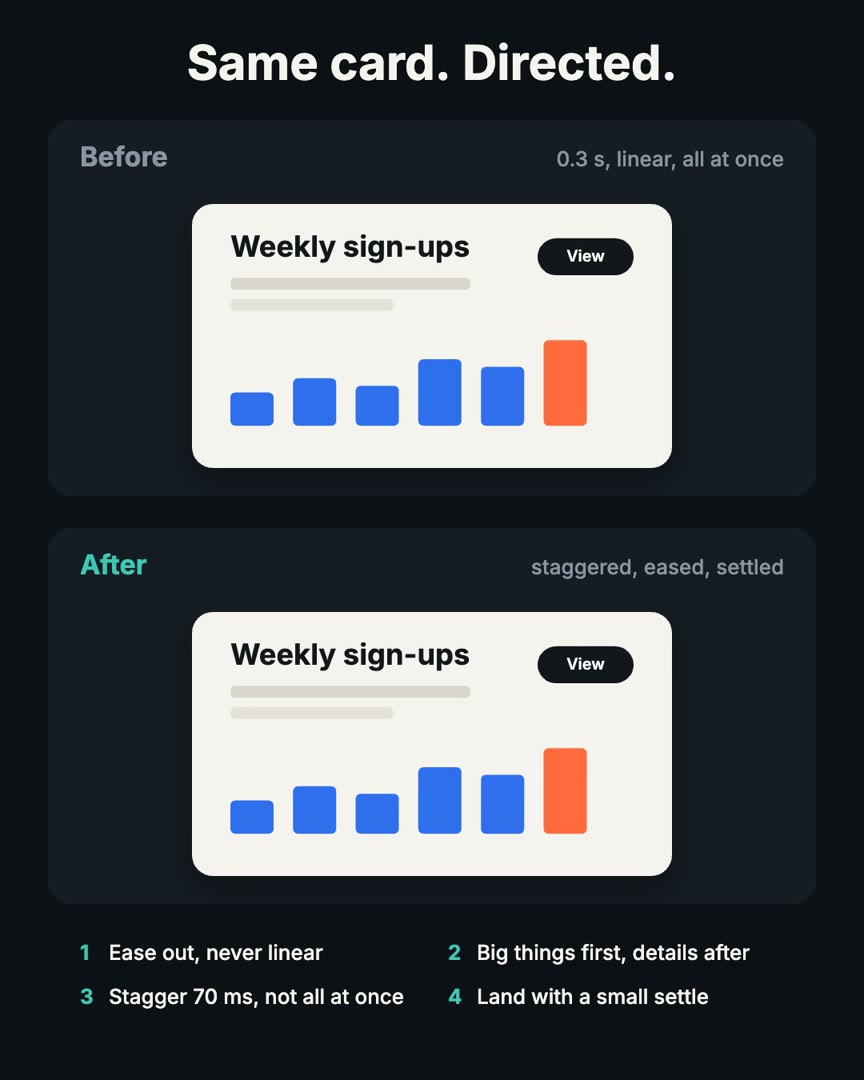
A real render from this kit’s before-and-after template. The card and its numbers are a sample.
Overview
Eight rules for timing, easing and choreography that apply to CSS, Framer Motion, GSAP, Lottie, canvas or video, and a method for writing a motion spec before code. An audit script reads your project’s CSS and JavaScript (without running it) and lists every transition and animation with its duration and easing, then flags linear movement, layout properties being animated, transitions that are too slow for a click, durations with no system and missing reduced-motion handling, each with its file and line. A film template shows the same component before and after.
Example
Input
Your project or animation
Output
A finished Report + MP4
Process
A subject, a story, a message, a formula or your project. Claude writes the plan or the story beats and waits for your yes.
Claude draws it in code and shows you stills at the key moments first.
An MP4 with its score (and a voiceover for Sketchnote), or an audit report for Motion Director.
The download
You are buying skill files, not videos. The download is a folder Claude Code reads. The videos are what you make with it, and they are yours.
The questions Claude asks, the craft rules for this look, and the checks it runs on stills before showing you anything.
The marks, characters, cards or shapes for this look, written in code, and a finished film to learn from.
Renders the page frame by frame to MP4 or GIF, and writes an original score in code.
Install steps and the commands, in order.
Setup
# Unzip the download into your Claude Code skills folder.
$ unzip ~/Downloads/motion-director-skill.zip -d ~/.claude/skills/
# Install its dependencies. This runs once.
$ cd ~/.claude/skills/motion-director && npm install
# Restart Claude Code, then ask for the skill by name.
$ claude
The first run downloads its dependencies.
Technical
Not tested with other agents or editors, so we make no claim about them.
Licence
Full terms, including refunds: Licence, refunds & terms.
FAQ
A folder of skill files: instructions for Claude Code, a small drawing library for that look, a finished example to learn from, an exporter that renders the page frame by frame, and a script that writes the music. Sketchnote adds a narration script, and Motion Director an audit script. You do not download videos. The videos are what Claude makes with it, from your subject.
No. Every frame is drawn by code in Chrome on your computer, so nothing is uploaded and nothing uses credits. Sketchnote’s voice is your Mac’s built-in text-to-speech or your own recording.
Yes. Each kit writes an original underscore in code (a soft pad, a plucked melody and accents on the key moments), and Sketchnote mixes it under the voiceover. No music files are shipped.
No. They are our own kits, written for this store, for jobs some open-source skills also do (painting in code, animated stories, paper collage, maths explainers, narrated sketches, motion rules). None of their code, art or examples is used.
Minutes. On our 8-core Mac, with several renders running at once: the 26-second Theorem proof took about 7 minutes, the 33-second Storybook film about 20, and the 22-second Brushwork painting about 24, because every brush mark is drawn bristle by bristle. Claude shows you stills first, so the long render happens once.
On macOS, installed fresh from each kit’s zip with npm install: every example rendered to stills with no page errors, and the film on each product page is that example rendered to a finished MP4 with the score it writes (Sketchnote with the Mac’s built-in Samantha voice). We checked the stills and frame strips by eye. The sound is levelled automatically to -14 LUFS; we did not review it by ear. The motion audit was run on our own site’s code and its findings checked line by line. Not tested by us: Windows, Linux, use inside a buyer’s own Claude Code session, and paintings, stories or lessons other than the included examples.